Check out the newest addition to the family....
Posted: Sat Feb 14, 2009 7:56 pm


SG Broadband Community. Everything you'd like to know about Cable Modems, DSL, Satellite, Networking, Security, Wireless, Routers and more.
https://speedguide.net/forums/


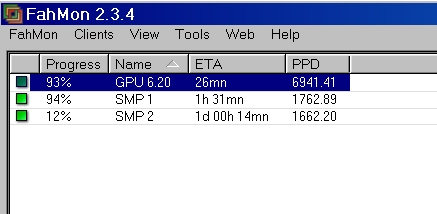
I have found on my own boxes that the smp slows the gpu way down no matter what I try. Could that be the cause?goobee wrote:Super disappointing at the moment. Fahmonitor shows it at 6218.37 PPD. WTF??
I use 0 myself.With core 1.07 or later, they introduced a new environment variable called NV_FAH_CPU_AFFINITY and it take a binary mask. A binary mask is just a programming trick to set the bits but for the majority, it may be a bit confusing so here is a full list to help you get the correct value :
Code:
0 = all cores
1 = core 0
2 = core 1
3 = core 0 + 1
4 = core 2
5 = core 0 + 2
6 = core 1 + 2
7 = core 0 + 1 + 2
8 = core 3
9 = core 0 + 3
10 = core 1 + 3
11 = core 0 + 1 + 3
12 = core 2 + 3
13 = core 0 + 2 + 3
14 = core 1 + 2 + 3
15 = core 0 + 1 + 2 + 3
Alternatively, there is also a simple way to determine the value :
Code:
Core 0 = 1
Core 1 = 2
Core 2 = 4
Core 3 = 8
If you want core 1 and 3 only, add 2 and 8 to get 10.
If you want core 0, 2 and 3, add 1, 4 and 8 to get 13.
For your information, if you have a quad-core, setting a value or 0 or 15 set the same affinity to all cores. If you have more than 4 cores, each additional core always take a 2^n value where n is the core number, starting from 0.
Now that you know how to determine the value to enter in the environment variable, we need to create that variable. Here is the simple steps (OS independent) :
-Go to start and run type in: sysdm.cpl then a system config panel should pop up.
-Under the Advanced tab click the environment variables button.
-Click new and under Variable name put NV_FAH_CPU_AFFINITY
-Under Variable value put the corresponding # you desire... Look above to determine the desired value.
-Walla, you have now setup the environmental variable hit Ok and close the window.
-Stop and restart the GPU2 client to make use of the new environment variable.
Your GPU should now utilize whatever cores you specified! I generally use 15 to allow it to use all cores. Then just check the box as indicated above in Xil's guide to not lock the GPU to a single core and your ready to roll.