Page 1 of 1
Power consumption question
Posted: Sun Nov 30, 2008 4:00 pm
by goobee
Well you guys are a bad influence and I have 2 more 8800GTS cards on the way for a total of 3. I can either put them into 3 separate boxes or get a SLI mobo and run only 2 boxes. Power consumption wise, I'm thinking 2 boxes will be more efficient but since these videos cards pretty power hungry under load, will it make any difference in overall consumption?
What do you guys think?
Posted: Mon Dec 01, 2008 7:20 am
by rickoic
Goobee
Depends on what size ps your running.
If it's big enough put both on one mb. If it has the 6 pin pci-e connectors to handle both.
I'd think running 1 bigger ps would be cheeper than running 2 smaller, but more wattage combined than a bigger one.
Power consumption of the cards will be the same whether they are on 1 mb or 2. But you'll have to power 2 hd's, 2 cd/dvd's, and 2 cpus on two different boards the other way.
Tks
Rick
Posted: Mon Dec 01, 2008 9:53 pm
by goobee
OK, that's good enough for me. I just ordered this:
http://www.newegg.com/Product/Product.a ... N%20SLI-FI
and a 600watt PS. I should be able to put all 3 GPUs into it.

Posted: Tue Dec 02, 2008 9:08 am
by rickoic
Looks good, did you make sure that the ps had 3 pci-e 6 pin connectors?
I bought the Jetway J775GT2 motherboard with 3 pci-e nests on it, but when you put the 8800 GTS cards on it there is only room for 2 as the first on covers up the second nest so that only the 1st and 3rd nests are usable.
But your mb looks like they are spread out enough to handle all 3 at once.
Sure you don't want to come back and fold with us?
Fold on,
Rick
Edit: to make sure the ps will be big enough theres a web site you can check on;
http://www.slizone.com they have all sorts of information concerning sli graphics and all, but the power consumption page would apply to folding as well.
Posted: Wed Dec 03, 2008 2:07 am
by goobee
I took a chance with the RAIDMAX AURORA 2 RX-600F
http://www.newegg.com/Product/Product.a ... 6817152031
It was on sale for black Friday last weekend. Supposedly SLI ready, and I'll use an adapter for the third.
I'm trying to boost my little upstart team. There's 4 of us in total crunching away.
Posted: Wed Dec 03, 2008 8:34 am
by rickoic
Looks good and still on sale for $39.99 after $25.00 mail in rebate.
Where do you get converters to what convert a regular connector to a six hole'er

Good luck
Rick
Posted: Wed Dec 03, 2008 11:15 pm
by goobee
Some video cards come with it. I got mine from my local Fry's.
http://shop3.frys.com/product/4734999?s ... IN_RSLT_PG
Posted: Wed Dec 10, 2008 10:03 pm
by rickoic
Hey Goobee
Have you got your computer up and running with 3 8800's yet?
Tks
Rick
Posted: Wed Dec 10, 2008 11:12 pm
by goobee
Nope, still waiting for one card to arrive. I may have to leave negative Heatware for somebody.

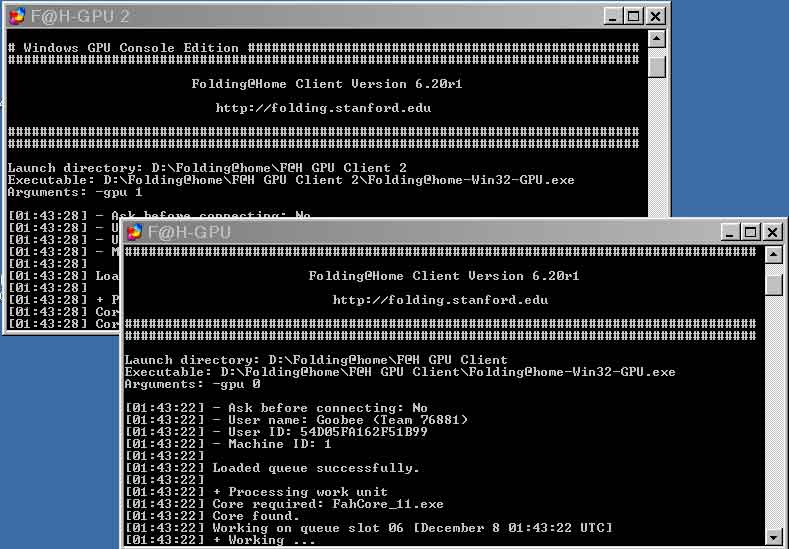
I've had 2 going since Sunday night.

Posted: Thu Dec 11, 2008 5:48 am
by rickoic
Well I got one of those mb's and I have 3 8800's on it, but Win XP is only recognizing 2 of them. Guess later today I'll have to check each of the off two 8800's and see if one of them is bad.
Fold on
Rick
Posted: Fri Dec 12, 2008 1:49 am
by goobee
Finally heard from the dillweed today. Said he was busy with finals. That is hogwash. He has time to sell the card but no time to ship??!!
Swap the cards around Rick, hopefully it's something simple like a partially seated card.
I'll let you know how mine works out if and when I get my overdue GTS.
Posted: Fri Dec 12, 2008 3:29 pm
by rickoic
That was the problem. One of the cards wasn't inserted correctly. Now it's going on 3 gpu's.
Tks
Rick
Posted: Sun Dec 14, 2008 10:23 am
by rickoic
I'm working on a deal now that will blow you away.
One of my mb's went down, so I have 3 8800 GTS's sitting around twiddling their fingers. Two because of the MB and 1 because of a ps not being strong enough to manage 3 8800's.
MSI P6N Diamond MS-7320.
Will hold 4 8800's.
Ordered a 1100W PS for it.
Will move a 260 over to the other mb with the power supply only strong enough for 2 8800's.
Also had to send my mx2 back as the off side kept hanging and would then lock up the other side for folding.
Fold on
Rick
Posted: Sun Dec 14, 2008 4:24 pm
by goobee
Wow, 4 x vid cards should rock!
Make sure you have a nice big case with good air flow. It's gonna be hot in there.
Posted: Sun Dec 14, 2008 11:53 pm
by rickoic
Will have mb sitting on top of a table on top of a piece of vapor-iuser filter which will allow it to pull cooler air into the bottom part of itself. Top will be sitting in the ambient air (which this time of year varies between 40 F when I'm not in there and 65-70 when I am. Have a ceiling fan going all the time to keep the air circulating. I'll watch though and if it starts being too hot I'll place a little fan to blow air across it anyway.
Tks
Rick
Posted: Mon Dec 15, 2008 9:46 pm
by goobee
What GPU clients are you using? I'm using 6.20 and they aren't crunching much in results.
Posted: Mon Dec 15, 2008 10:34 pm
by rickoic
I'm using the 6.XX whatever is there when I added a GPU. My numbers vary depending on cpu and protein. Larger proteins have lower numbers in the 2500-3000 ppd range, while smaller proteins go up to 4000-4500 ppd range. Thinking seriously about disableing the allow big proteins option on my gpu's.
Tks
Rick
Edit...guess I should also say that that is only my 8800 GTS's.
Posted: Tue Dec 23, 2008 2:33 am
by goobee
Hmm? Not good. My two cards are sitting too close together. The upper one has little to no air flow.

I put my finger on it and it's getting hotter than the other two. I'm not going to chance it, I need to pick up a single slot version GPU to allow for more air flow.

Posted: Tue Dec 23, 2008 2:45 am
by rickoic
That problem has been discussed before and about the only solusion that's been come up with is adding another fan.
You can get a usb fan, or one that connects to a molar connector and adjust it where it blows, or sucks air across the upper card which helps some. Also go to
http://www.evga.com/ forget right now what the rest of the address is, go to my post Easy OC nividia cards I put it there. Use that program to put the card fans to 100% that lowered my cards temps about 6 C but mine aren't in a case so may not lower yours that much, but between that and adding another fan that should drop the temps somewhat. Cheeper that buying another rig, and might be worth a try first.
Fold on
Rick
Posted: Tue Dec 23, 2008 4:34 pm
by goobee
I've already got a 120mm case fan (you can barely see it in the pic) blowing air directly across the cards and it's not helping that much.
I'm still thinking about getting a card with a smaller heatsink, maybe a 9600GSO which should run cooler. I'll put the 8800GTS into my Xeon box.
Posted: Tue Dec 23, 2008 8:59 pm
by rickoic
What kinda temps we talking about? Temps in the 80's are pretty normal for the heavy load, 90s could cause troubles.
Tks
Rick
Posted: Wed Dec 24, 2008 12:27 am
by goobee
Not sure, I didn't check the temps with any programs, I just used the finger on the heatsink test. Two were OK, the other one I said "OW!!!" after touching it.
Posted: Wed Dec 24, 2008 7:50 am
by rickoic
Install the EVGA program from my OC post and it will tell you temp. Not sure if it's from just the first GPU or an avg of all, but at least it should give you a figure.
Tks
Rick
Posted: Wed Dec 24, 2008 7:57 am
by cajundon
goobee wrote:Hmm? Not good. My two cards are sitting too close together. The upper one has little to no air flow.
I put my finger on it and it's getting hotter than the other two. I'm not going to chance it, I need to pick up a single slot version GPU to allow for more air flow.
I find out it is better to leave all doors off of the case, and add a small cheap desktop fan (< $10.00 ), to get lower temps for everything in the case.
I do it for all my computers. I don't have any pets to collect hairs and other stuff into the case. You can see if you need to clean out all the dust bunnies in your case.
Happy Holidays.
Posted: Thu Dec 25, 2008 12:06 pm
by goobee
OK, I'll give it a go and report back.